

Working with this resource via an AI agent? Datum publishes a Domains skill that teaches agents the canonical patterns for this resource.
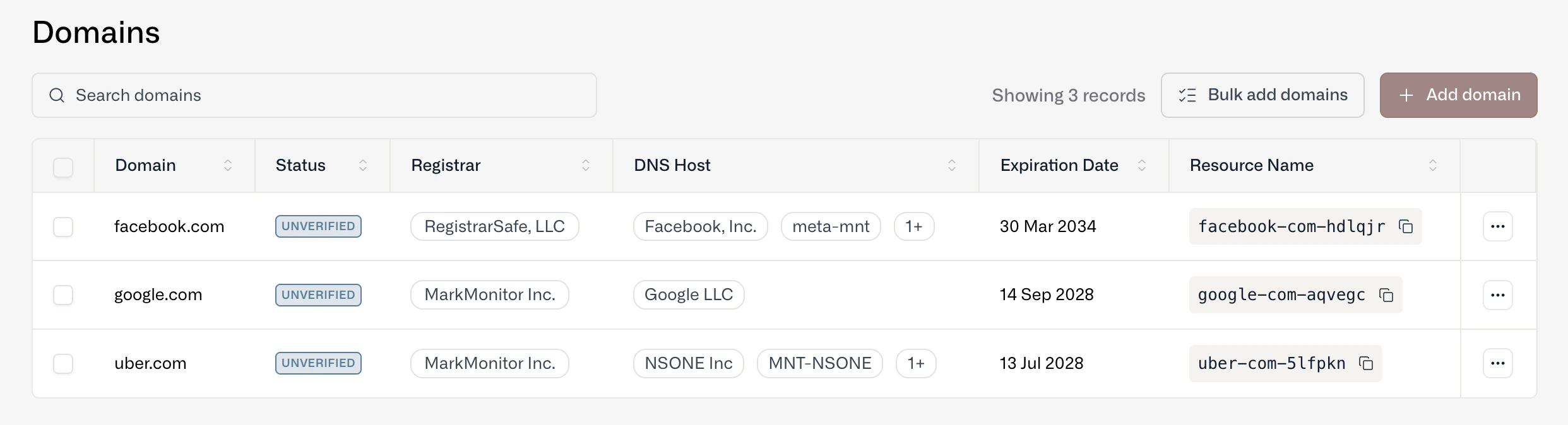
A list of domains we wished we owned!
Add a domain
You can add and manage domains through the Datum Cloud portal as well as our programmatic interfaces (MCP and datumctl).- Add a single domain - Type in the domain name and a resource is created.
- Bulk upload domains - Copy and paste multiple domains or import via a .csv or .txt file.
- Application Load Balancer - Adding a custom hostname to an Application Load Balancer will create a domain resource.
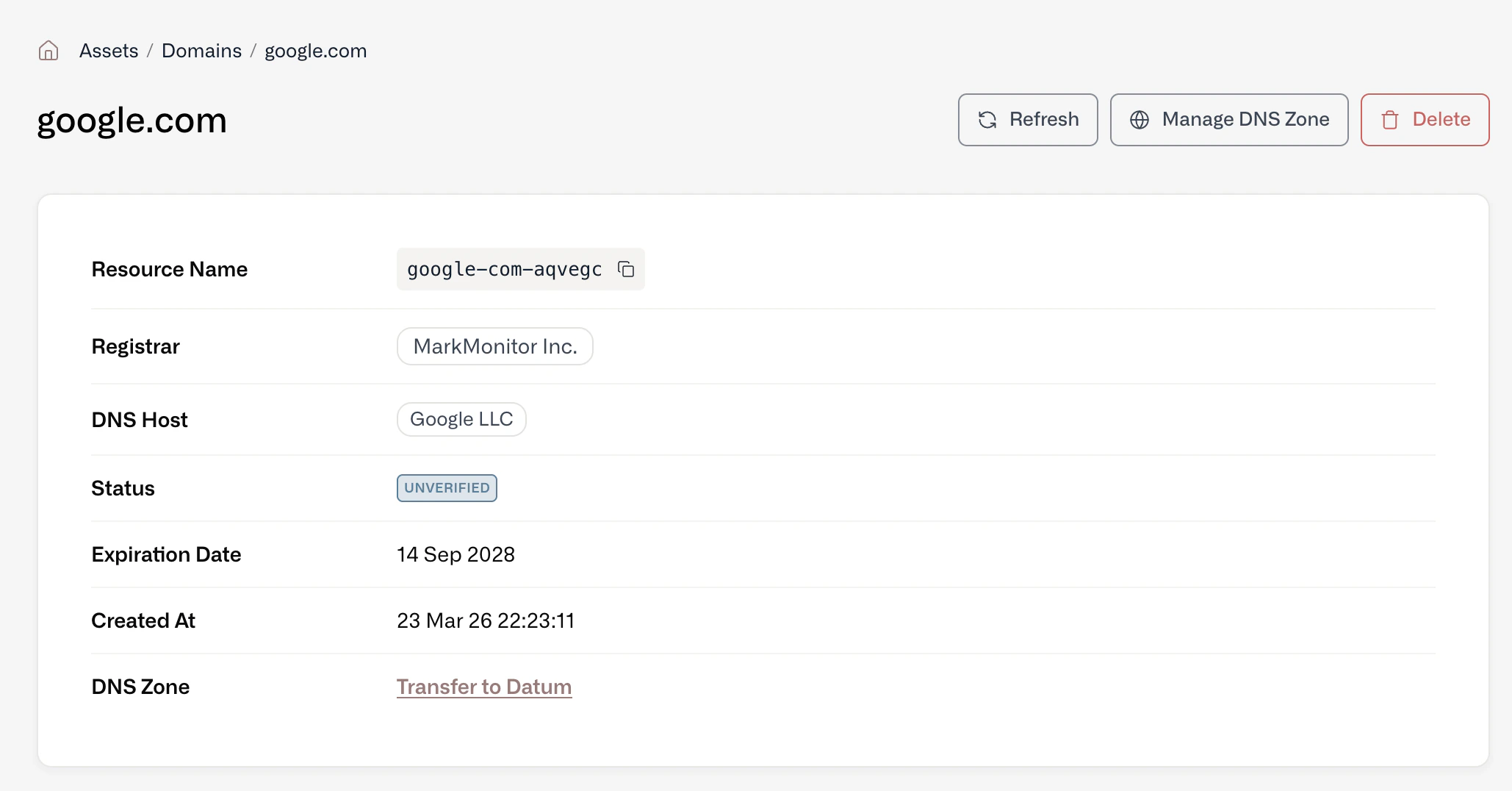
Details on each domain are provided via public sources
Verify a domain
Once you add a domain as a resource, you can verify ownership. Verified domains become available for use in other Datum services such as Proxy and DNS Zone Hosting.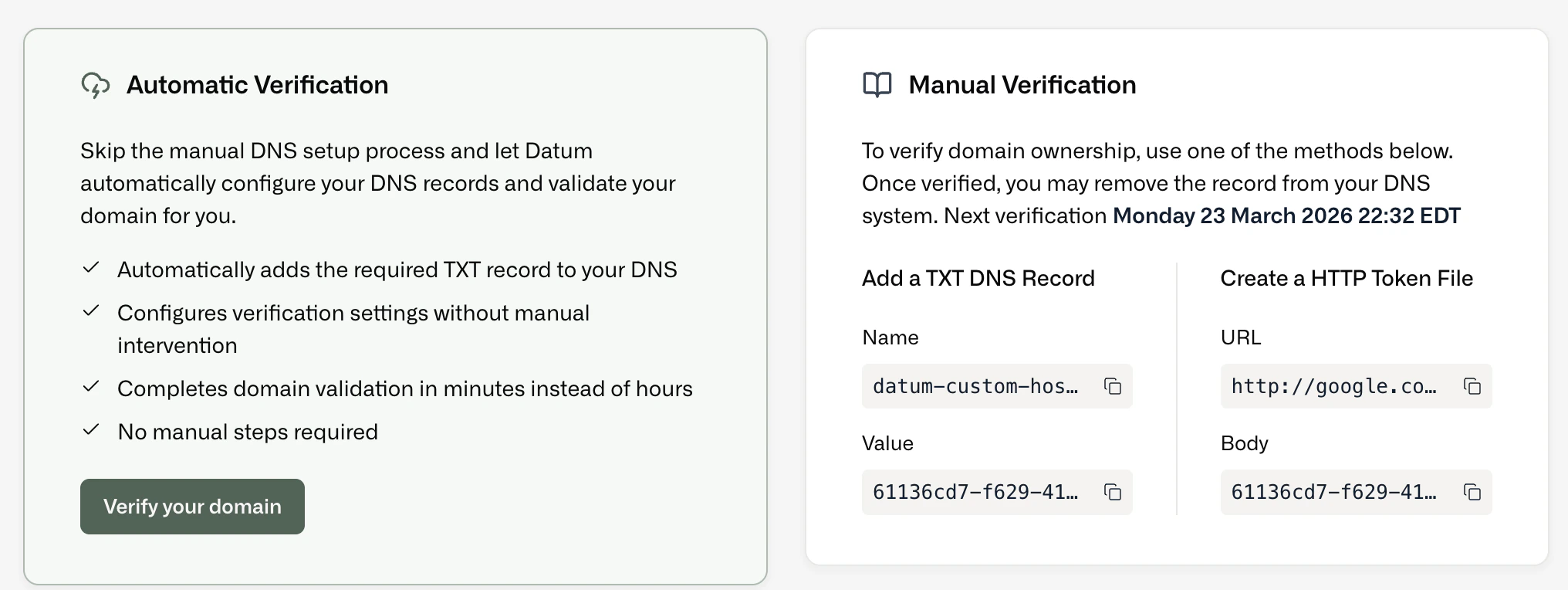
Verify ownership by adding a DNS record
Use the DNS record unless you can’t change the domain’s DNS. The HTTP token only works when the domain already serves your own content: a domain that is parked at its registrar returns the registrar’s page, so the token check fails.
Datum retries verification on its own, and
status.verification.nextVerificationAttempt shows when. For records that don’t seem to take effect, see Prove you own the domain.